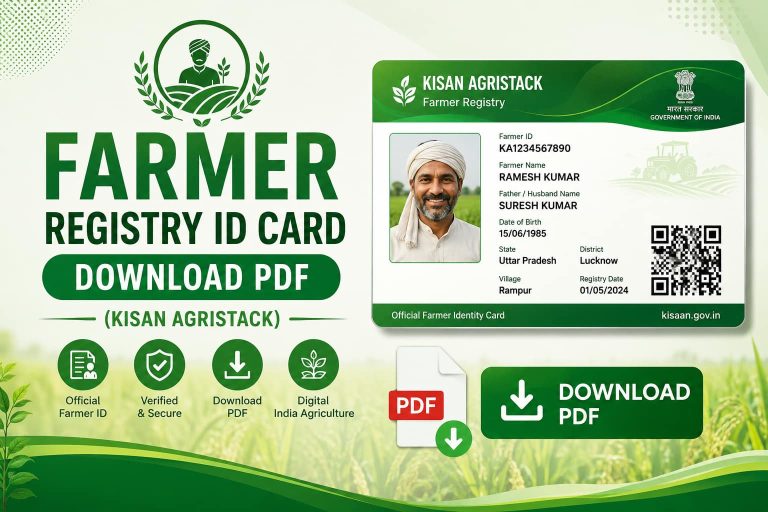
How to Easily Register for Farmer Registry UP Using the Official App: A Complete Step-by-Step Guide
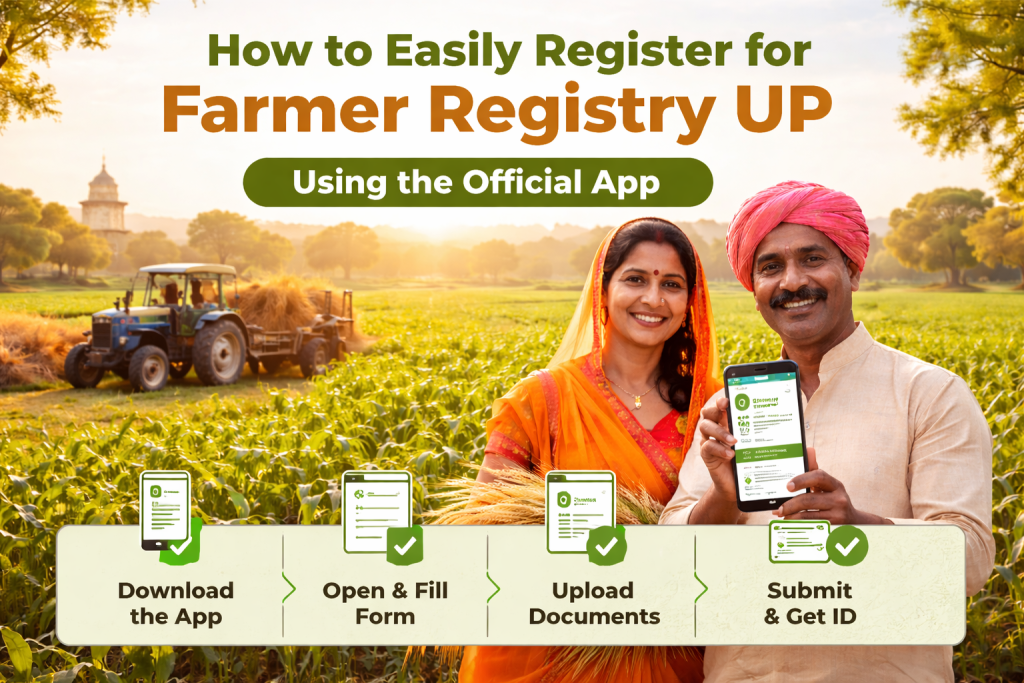
In Uttar Pradesh, the Farmer Registry system is a vital tool designed to ensure that farmers have easy access to government schemes, subsidies, and financial support. To make this process even more accessible, the Farmer Registry UP Official App has been introduced. This app allows farmers to quickly and efficiently complete their registration from the comfort of their homes, making it easier than ever to connect with government resources.
In this guide, we’ll walk you through the process of registering for the Farmer Registry UP for Agristack using the official app. Whether you are a new user or need to update your details, this step-by-step guide will ensure that you complete the process smoothly and without any hassles.
Why Use the Official Farmer Registry UP App?
The Farmer Registry UP Official App is a digital solution created to simplify the process of registering for government programs. The app is designed to:
- Enable Easy Registration: Farmers can quickly complete the registration process from their mobile phones without visiting physical offices.
- Access to Government Schemes: The app helps farmers access multiple benefits like PM Kisan, crop insurance, and other subsidies.
- Save Time and Effort: It eliminates the need for paperwork and physical visits to government offices, making the registration process faster and more convenient.
Step-by-Step Guide to Register for Farmer Registry UP Using the Official App
Step 1: Download the Official App
The first step in registering for Farmer Registry UP using the official app is downloading the app.
- Go to the Google Play Store (for Android users) or Apple App Store (for iOS users).
- Search for “Farmer Registry UP” or “Kisan Registration UP“.
- Download the app, which will be the official government app for the Farmer Registry.
Once the app is downloaded, tap Open to start the registration process.
Step 2: Select the Registration Option
Upon opening the app, you will be presented with a few options. If you are a new farmer, select New Registration. If you are an existing farmer and need to update your details, select Update Registration.
- New Registration: This option is for farmers who are registering for the first time in the Farmer Registry UP.
- Update Registration: This option is for farmers who have already registered but need to update their details (e.g., change of address, land records, etc.).
Step 3: Enter Personal Details
For new registrations, the app will prompt you to enter your personal details. Make sure you have the following information ready:
- Full Name
- Father’s Name
- Aadhaar Number (for identity verification)
- Mobile Number (to receive updates and notifications)
- Email Address (optional, but helpful for communications)
Double-check your information to ensure it matches your official records.
Step 4: Add Land Ownership Details
After entering your personal details, you will be asked to provide information about your agricultural land. This section is important for verifying your eligibility for various schemes.
Here’s what you’ll need to fill in:
- Land Ownership Type: Select whether you are the sole owner of the land or share ownership with others.
- Land Size: Enter the total area of the land you own (in hectares or acres).
- Land Documents: Upload scanned copies of your land ownership documents, such as title deeds, land revenue records, or any official proof of ownership.
Step 5: Link Your Bank Account
To ensure that you receive government subsidies and direct transfers, the app will require you to link your bank account. Enter the following details:
- Bank Name
- Account Number
- IFSC Code
Ensure that your bank account is linked to Aadhaar for smoother processing of financial benefits.
Step 6: Verify Your Information
After entering all the required information, the app will show a summary of the details you’ve provided. Verify all your entries carefully to make sure there are no errors. If everything looks good, tap Submit to continue.
Step 7: Upload Supporting Documents
At this stage, you’ll be required to upload the following documents:
- Aadhaar Card
- Land Ownership Documents (scanned copy)
- Bank Account Details (proof of account, such as a bank passbook or statement)
Ensure that the documents are clear and readable. The app may ask you to crop or adjust the images to fit the required format.
Step 8: Submit Your Application
Once you’ve uploaded all the necessary documents, tap Submit. The app will process your registration and submit your details to the Farmer Registry UP system.
After submission, you will receive a confirmation message or acknowledgment receipt with your Farmer ID. Keep this receipt safe, as it contains your registration number and other important details.
Step 9: Track Your Registration Status
After submitting your application, you can track its progress directly through the app. The registration status will show whether your application is under review, approved, or if there are any issues that need addressing.
If any issues arise with your application (such as incomplete documents or missing details), you’ll be notified through the app, and you can take corrective action accordingly.
What to Do if You Encounter Issues During Registration?
If you face any difficulties during the Farmer Registry UP registration process, here are some common issues and how to resolve them:
Issue 1: Aadhaar Authentication Error
- Solution: Make sure the Aadhaar details you entered match the details on your Aadhaar card. If there’s a mismatch, you can visit your nearest Aadhaar Enrollment Center for corrections.
Issue 2: Documents Not Uploading
- Solution: Check that your documents are in the correct format (usually JPG, PDF, or PNG). Ensure that the images are clear and readable.
Issue 3: Bank Account Linking Problems
- Solution: Double-check the IFSC code and account number entered. Also, ensure your bank account is linked to your Aadhaar for smooth processing.
Issue 4: Server is Busy or App Crashing
- Solution: If the app is crashing or you see a “server is busy” message, wait for a few minutes and try again. The app might be experiencing high traffic during peak hours. You can also try closing and reopening the app.
Issue 5: Registration Rejected
- Solution: If your registration is rejected, the app will show the reasons. You may need to update your documents or correct any mistakes in the form. Visit the nearest Common Service Center (CSC) for further assistance.
Benefits of Registering for Farmer ID in UP
Registering for Farmer Registry UP provides numerous advantages:
- Access to Government Schemes: Eligibility for financial assistance, crop insurance, and more.
- Direct Cash Transfers: Subsidies and financial aid are transferred directly to your bank account.
- Simplified Process: The app allows farmers to register and update their details quickly without having to visit government offices.
- Transparency: Having your details on record helps reduce corruption and ensures that the right farmers benefit from government schemes.
Tips for a Successful Registration
- Ensure Accuracy: Double-check all your details before submitting the application.
- Keep Documents Ready: Have all your documents scanned and ready in the correct format.
- Use a Stable Internet Connection: A stable internet connection ensures smooth registration without interruptions.
- Submit Early: Register well before the deadline to avoid last-minute issues, especially during peak registration periods.
Conclusion
Registering for the Farmer Registry UP using the official app is an efficient and convenient way to access government benefits. With this simple step-by-step guide, you can complete your registration process easily from your mobile phone. Whether you are a new farmer or updating your existing details, this app simplifies the entire process, saving you time and effort.
Stay informed, ensure your details are accurate, and take full advantage of the financial aid and support available through the Farmer Registry UP.