How to Edit Farmer Registry in Gujarat – Step-by-Step Guide for Agristack Farmer Registry
The Farmer Registry in Gujarat is an essential platform that helps farmers gain access to government subsidies, financial assistance, insurance, and various agricultural schemes. With the advent of AgriStack, the digital ecosystem for farmers, the registration process has become more efficient. However, it is not uncommon for farmers to need to update or edit their information after initial registration due to various reasons like incorrect details, changes in bank accounts, land ownership, or personal information.
This comprehensive guide will take you through the step-by-step process of editing your Farmer Registry details in Gujarat via the AgriStack portal. We will cover common scenarios that require updates, how to make changes, and how to ensure your registration is accurate and up to date.
Why You Might Need to Edit Farmer Registry in Gujarat Details
There are several reasons why a farmer might need to edit their registry details. Here are some common scenarios:
- Changes in Personal Information: If your name, address, or contact details have changed since your original registration, you’ll need to update them.
- Aadhaar Linking Issues: If your Aadhaar number was not correctly linked or has changed, you’ll need to update it.
- Bank Account Changes: If you’ve changed banks or need to update your account details for direct benefit transfers, an edit is necessary.
- Land Ownership Changes: If you have bought or sold land, you need to update your land details in the system.
- Updating or Correcting Documents: If you uploaded incorrect documents or need to update scanned copies, you can edit your registration.
How to Edit Your Farmer Registry in Gujarat
Here is a step-by-step guide on how to edit your Farmer Registry information in Gujarat via the AgriStack portal.
Step 1: Visit the Official AgriStack Gujarat Portal
To edit your Farmer Registry details, the first step is to visit the official AgriStack Gujarat portal:
brdcs.agristack.gov.in
Once you are on the portal, look for the “Edit Registration” option. The portal will require you to log in using your Farmer ID or Aadhaar Number.
Step 2: Login Using Your Credentials
You will be asked to log in using one of the following:
- Farmer ID (if you already have it)
- Aadhaar Number (linked with your registration)
Make sure to have your Aadhaar Number and Farmer ID (if available) ready. After entering the required details, click on Login.
Step 3: Select the Edit Option
Once logged in, you’ll be directed to your Farmer Profile page. Here you will see an option for “Edit Registration” or “Update Information”. Click on this option to begin the editing process.
Step 4: Update Your Personal Information
After selecting the edit option, the first section will allow you to edit your personal details, including:
- Full Name
- Father’s Name
- Date of Birth
- Address
- Mobile Number
- Email Address
Ensure that all your details are accurate and up to date. Remember, the name and contact information need to match the documents you’ve uploaded to avoid any discrepancies.
Step 5: Edit Land Ownership Details
If you need to update details related to your land ownership, such as:
- Land Area
- Land Ownership Type (Individual or Joint Ownership)
- Land Revenue Records
This section allows you to add or update your land details. You’ll need to upload the latest land documents if there are any changes in your land ownership.
Step 6: Update Your Bank Account Details
If you have changed your bank account or if there is a mistake in your existing bank details, you can edit this information in this section. To update:
- Bank Name
- Account Number
- IFSC Code
Ensure that your bank account is linked to your Aadhaar Number for faster transfer of government subsidies and financial support.
Step 7: Upload Correct Documents
You will be prompted to upload the necessary documents to verify the changes:
- Aadhaar Card (for identity verification)
- Bank Passbook or Bank Statement (for bank account details)
- Land Ownership Documents (such as title deeds, revenue records)
Make sure that these documents are clear, in the correct format (PDF/JPG), and within the allowed size limits.
Step 8: Review and Submit the Changes
Once you’ve filled in all the updated details, carefully review your information. Ensure that everything is correct, as submitting inaccurate or incomplete data can cause delays in processing.
After reviewing your changes, click on Submit. The system will process your updated details, and you will receive a confirmation receipt. Keep this receipt for future reference.
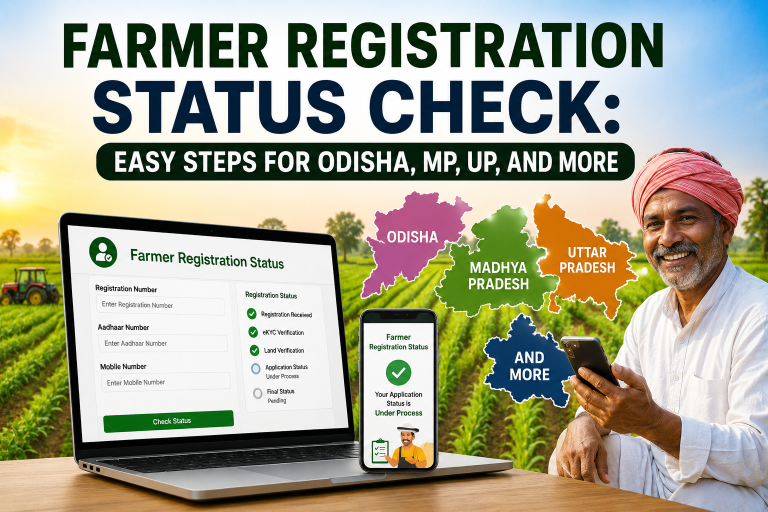
Step 9: Track the Status of Your Update
After submitting your edits, you can track the status of your Farmer Registry update via the portal. You will be notified via SMS or email once your changes have been successfully processed.
If there are any issues with your update, the portal will notify you, and you will need to correct them. You can also visit your nearest Common Service Center (CSC) if you face difficulties.
Common Issues When Editing Farmer Registry in Gujarat and How to Fix Them
While editing your Farmer Registry details, you may face some common issues. Here’s how to resolve them:
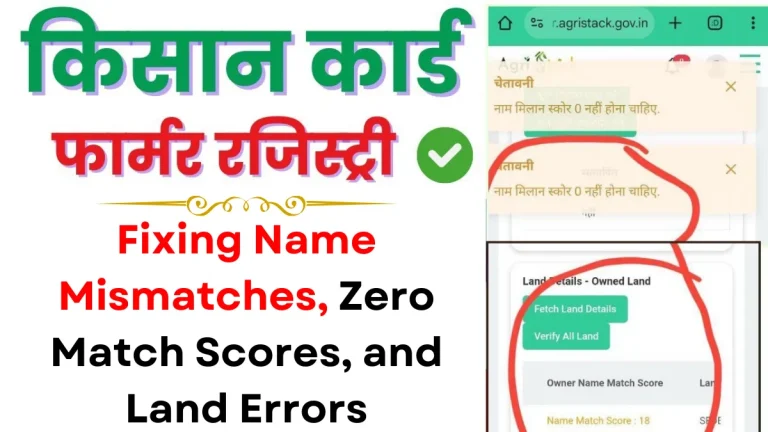
1. Aadhaar Mismatch Error
- Solution: Ensure that the Aadhaar Number you entered matches the details in the system. If there’s a mismatch, visit an Aadhaar Enrollment Center to get your details updated.
2. Document Upload Failure
- Solution: Double-check the file size, format, and clarity of the documents. Ensure you upload documents in PDF or JPG format with the required file size.
3. Bank Account Linking Problems
- Solution: Make sure your bank account is Aadhaar-linked. Visit your bank to resolve any issues with linking.
4. Server or Portal Errors
- Solution: Try accessing the portal during non-peak hours. If the issue persists, try clearing your browser cache or using a different browser.
5. Delay in Status Update
- Solution: Sometimes, there can be delays due to system processing. Check the status after 24-48 hours. If there’s no update, contact CSC for further assistance.
Benefits of Editing Your Farmer Registry Details in Gujarat
- Eligibility for Latest Schemes: Keeping your information up to date ensures that you can take advantage of the latest government subsidies and financial assistance.
- Faster Processing: Correct details mean faster processing and disbursement of benefits.
- Accurate Land Records: Ensure that your land details are accurate to avoid any disputes or errors when applying for financial support.
- Direct Benefit Transfers: Ensure your bank account is linked to your Aadhaar for direct cash transfers from government schemes like PM Kisan.
Conclusion
Editing your Farmer Registry details in Gujarat through the AgriStack portal is a simple and straightforward process. By keeping your registration details up to date, you can ensure that you don’t miss out on any government benefits and subsidies. Whether it’s correcting personal details, updating land ownership, or changing your bank account information, this guide has provided you with the steps to make those changes efficiently.
Make sure to regularly check the status of your registration and keep your information accurate to continue benefiting from various government schemes. If you need help, feel free to contact your local Common Service Center (CSC) for support.