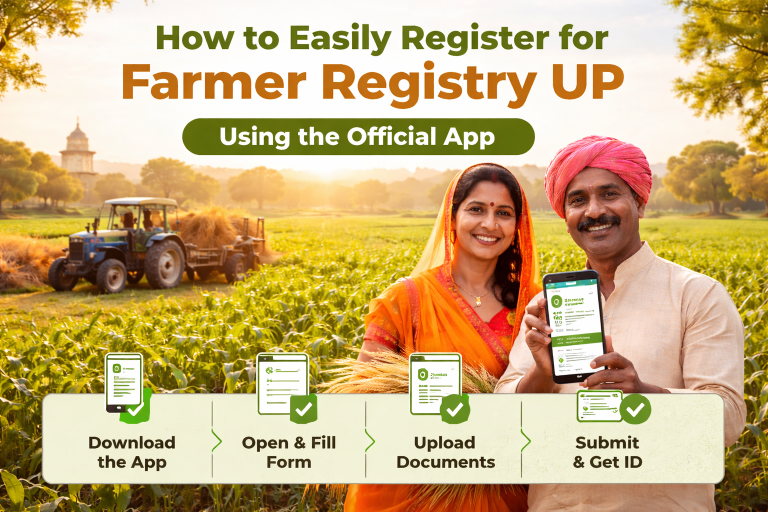
AgriStack Tamil Nadu Registration 2026: eKYC, Land Verification & Status Check
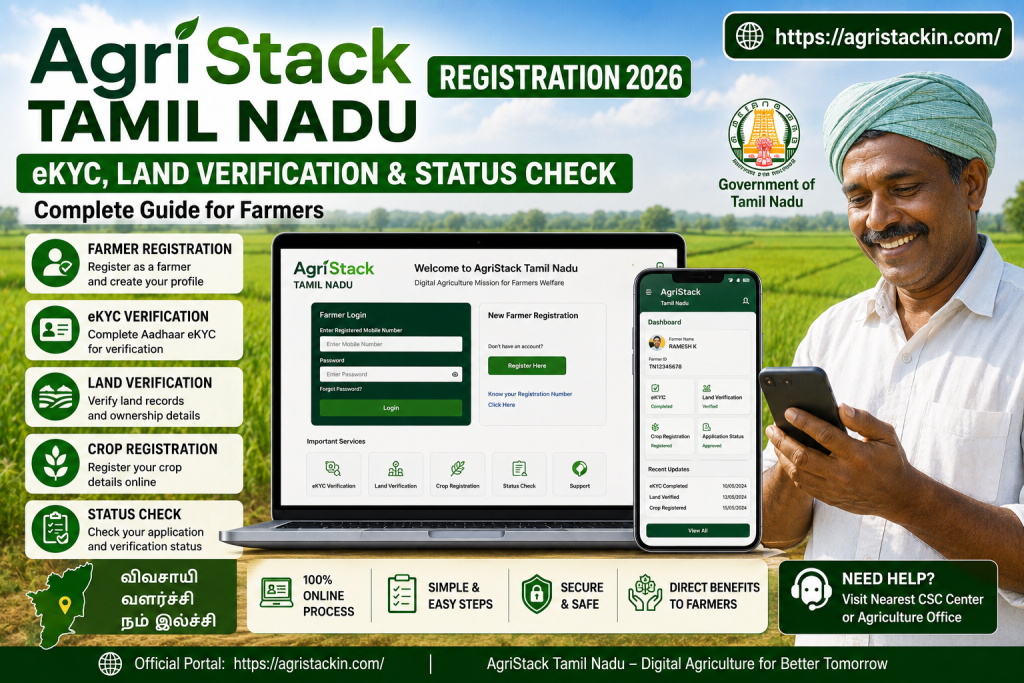
Tamil Nadu farmers are now using digital agriculture systems for registration, land verification, crop records, and farmer services. Because of this, many users search for AgriStack Tamil Nadu to understand how the system actually works.
AgriStack Tamil Nadu is a digital farmer database connected with Aadhaar verification, land records, crop details, and agriculture department services. Farmers can use it for registration, eKYC, status checking, and verification-related work.
Many farmers first hear about AgriStack during PM Kisan updates or land verification work. Then suddenly everyone in the village starts asking one person who once opened the portal successfully.
The system may look technical at first. However, most registration work becomes simple when the correct details are entered carefully.
What Is AgriStack Tamil Nadu?
AgriStack Tamil Nadu is a digital agriculture platform that stores farmer records in one connected system. It helps agriculture departments manage farmer information, land details, and crop-related data more efficiently.
The platform connects:
- Farmer Registration
- Aadhaar Verification
- Land Records
- Crop Details
- Farmer ID
- eKYC Information
Because of this, farmers can access multiple agriculture-related services using connected records instead of repeating paperwork again and again.
The system also helps during:
- PM Kisan verification
- Crop registration
- Farmer identity verification
- Land ownership verification
- Agriculture subsidy work
Earlier, many records stayed in physical files only. Now digital systems help departments verify farmer details faster.
If the Aadhaar name, land details, or survey number do not match properly, verification problems may appear later. Therefore, farmers should always check records carefully during registration.
Sometimes the portal works smoothly within minutes. Other times it loads slower than relatives getting ready for wedding photos.
How To Complete Farmer Registration In AgriStack Tamil Nadu?
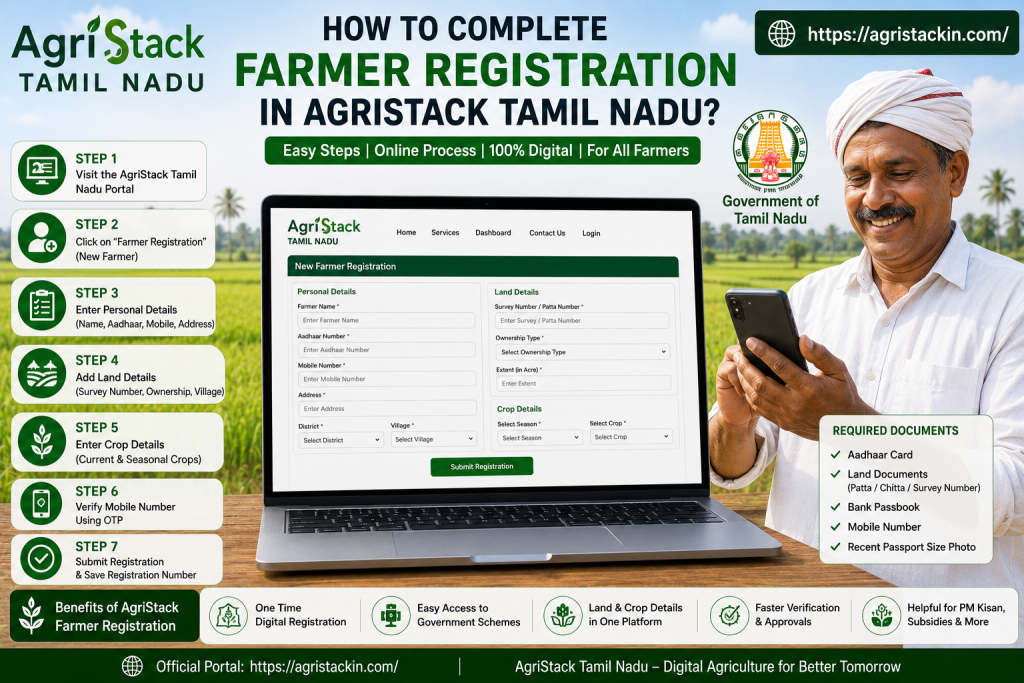
Farmer Registration is one of the most important parts of AgriStack Tamil Nadu. During this process, farmer identity and land records get connected inside the digital system.
Documents Required For Farmer Registration
Farmers usually need:
- Aadhaar Card
- Mobile Number
- Land Documents
- Bank Passbook
- Address Details
Registration Process
Step 1: Open Agriculture Portal
Visit the official agriculture or farmer service portal connected with Tamil Nadu registration services.
Step 2: Enter Farmer Details
Add:
- Name
- Aadhaar Number
- Mobile Number
- Village Information
Step 3: Add Land Details
Enter:
- Survey Number
- Land Ownership Details
- Crop Information
Step 4: Complete OTP Verification
Verify the registered mobile number using OTP.
Step 5: Submit Registration
After verification, submit the registration form.
Step 6: Save Registration Number
Keep the registration number safe for status checks and future updates.
Many registration problems happen because users enter incorrect survey numbers or spelling mistakes. One wrong digit can create enough confusion to make the portal behave like it forgot its own job.
How To Complete eKYC In AgriStack Tamil Nadu?
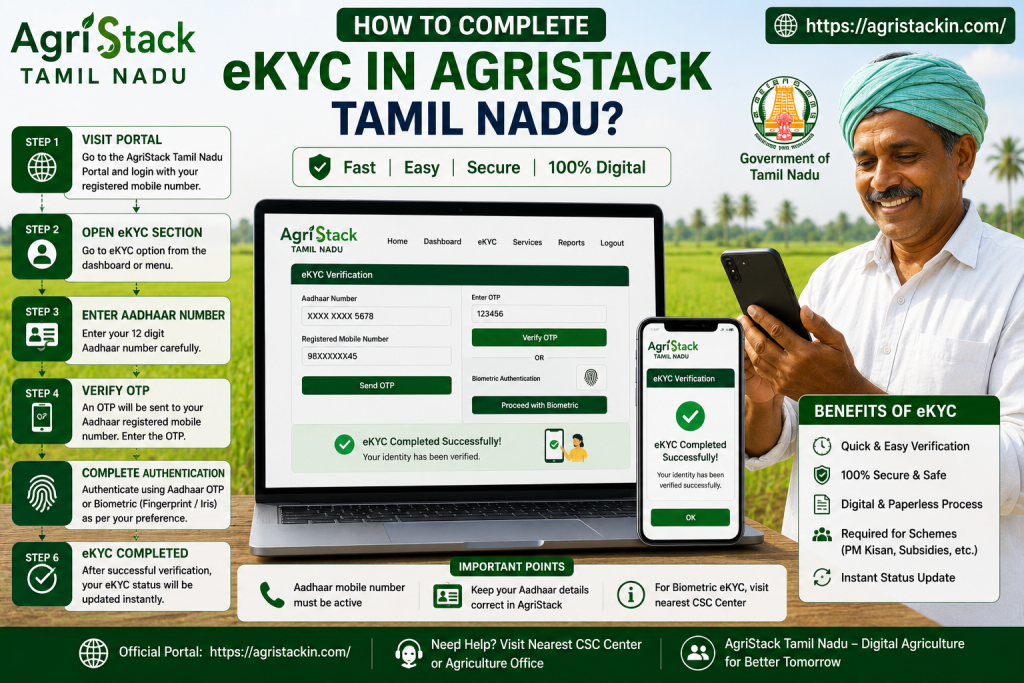
eKYC helps verify farmer identity through Aadhaar authentication. Without successful eKYC, some records may stay pending.
The portal usually checks whether the Aadhaar details match the farmer registration record correctly.
Step 1: Open eKYC Section
Visit the portal and open the eKYC option.
Step 2: Enter Aadhaar Number
Type the Aadhaar number carefully.
Step 3: Verify Mobile Number
OTP will arrive on the Aadhaar-linked mobile number.
Step 4: Submit OTP
Enter the OTP and complete verification.
Step 5: Check eKYC Status
After successful verification, the status gets updated.
Farmers often face problems because the Aadhaar mobile number is inactive or changed. In those cases, OTP verification may fail repeatedly.
Some users click resend OTP every three seconds. Then the portal gets confused like a shopkeeper hearing five customers shout together.
How Does Land Verification Work In AgriStack Tamil Nadu?
Land verification helps confirm that the registered farmer details match official land ownership records.
The system checks:
- Survey Number
- Village Records
- Ownership Details
- Aadhaar Match
- Land Seeding Information
If the records do not match properly, verification may remain pending or fail completely.
Common Reasons Behind Land Verification Problems
- Wrong survey number
- Aadhaar mismatch
- Old village records
- Incorrect ownership details
- Spelling mistakes
Many farmers face issues because old land records contain outdated names. Even a small mismatch between Aadhaar and land documents can stop verification.
How To Fix Land Verification Problems?
Farmers should:
- Verify survey numbers carefully
- Match Aadhaar spelling properly
- Update incorrect land records
- Visit CSC center if required
Usually, small corrections solve most verification problems.
How To Check AgriStack Tamil Nadu Status?
Farmers can check registration and verification status online through the agriculture portal.
The portal may show:
- Registration Status
- eKYC Status
- Land Verification
- Pending Updates
- Approval Details
Status Check Process
Step 1: Open Portal
Visit the official farmer service portal.
Step 2: Open Status Section
Find the application or registration status option.
Step 3: Enter Registration Details
Add registration number or Aadhaar information.
Step 4: Verify OTP
Complete mobile verification.
Step 5: Check Status
The screen will display current registration updates.
If the status page loads slowly, farmers should wait for some time before retrying. Refreshing the page twenty times usually does not increase internet speed magically.
Common Problems In AgriStack Tamil Nadu
Farmers sometimes face technical or verification-related problems while using AgriStack Tamil Nadu.
OTP Not Received
This usually happens because:
- Mobile number is inactive
- Aadhaar mobile link is missing
- Network issue exists
Aadhaar Mismatch
Verification may fail if Aadhaar details do not match registration records.
Land Verification Failed
Wrong survey numbers or incorrect ownership records can create this issue.
Registration Pending
Applications sometimes stay pending during verification or server traffic periods.
Slow Portal Issue
Heavy traffic may slow down the system during registration periods.
Most problems get fixed after checking records carefully and updating incorrect details.
FAQ About AgriStack Tamil Nadu
What Is AgriStack Tamil Nadu?
It is a digital agriculture system connected with farmer registration, land records, and verification services.
Is eKYC Required?
Yes. eKYC helps verify farmer identity using Aadhaar details.
Can Farmers Check Status Online?
Yes. Farmers can check registration and verification status through the portal.
Why Does Land Verification Fail?
Usually because of incorrect survey numbers, Aadhaar mismatch, or old land records.
What Documents Are Needed For Registration?
Farmers generally need Aadhaar card, land records, mobile number, and bank details.
Final Words
AgriStack Tamil Nadu helps farmers manage registration, verification, and agriculture-related records through digital systems. The platform makes farmer data management easier for both farmers and agriculture departments.
The most important thing is entering correct details during registration. Small mistakes in Aadhaar, survey numbers, or land records can create delays later. Therefore, farmers should always verify information carefully before submission.