
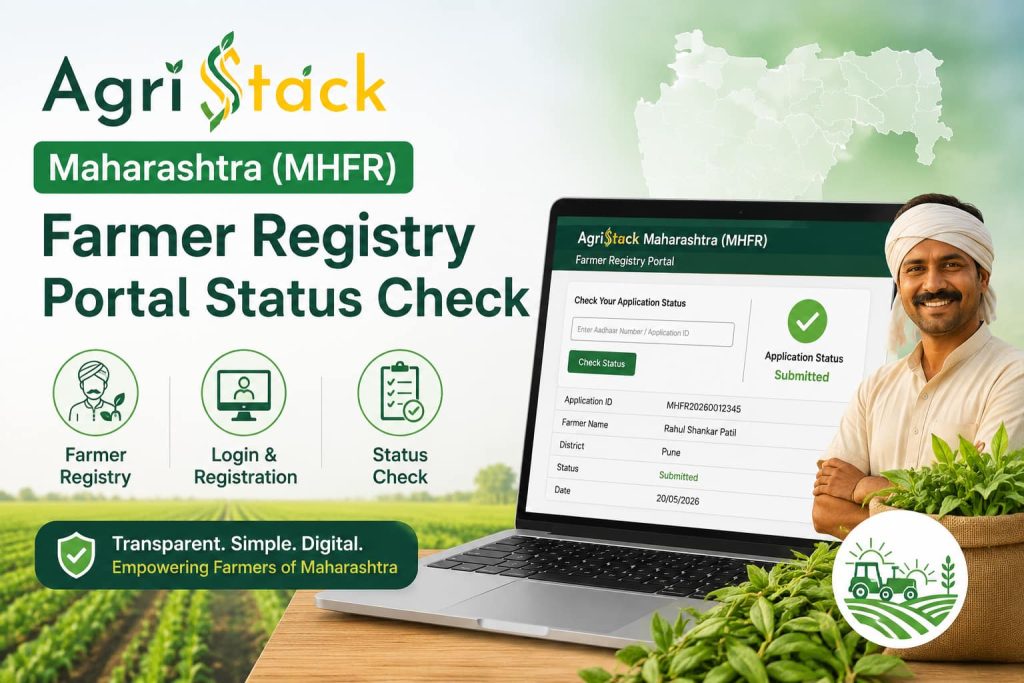
AgriStack Maharashtra (MHFR) Farmer Registry Portal Status Check
If you farm land in Maharashtra and you have not yet completed your AgriStack registration, this guide walks you through the entire process in plain, simple English.
AgriStack MHFR is the official farmer registry for Maharashtra, and it is quickly becoming the single record the government checks before releasing PM-KISAN instalments, crop insurance payouts and other farm subsidies.
Below you will find every step you need from opening the portal for the first time to downloading your finished Farmer ID card along with the documents to keep ready, common errors and how to fix them.
Quick Overview: AgriStack Maharashtra (MHFR)
| Detail | Information |
|---|---|
| Portal name | AgriStack Maharashtra Farmer Registry (MHFR) |
| Official website | mhfr.agristack.gov.in |
| Launched under | AgriStack – Digital Agriculture Mission, Government of India |
| Who can apply | Farmers and landholders cultivating land in Maharashtra |
| Registration mode | Online (self-registration) or through a nearest CSC centre |
| Registration fee | Free of cost never pay any agent or website for registration |
| Main identity used | Aadhaar-linked mobile number and land records |
| Land records linked | 7/12 extract (Satbara) and 8A land records |
| Output | A unique digital Farmer ID (also called Kisan ID) |
| Languages available | Marathi, Hindi and English |
What is AgriStack Maharashtra (MHFR)?
AgriStack MHFR is Maharashtra’s part of the national AgriStack programme, a Digital Agriculture Mission initiative that gives every farmer in India a verified, unique Farmer ID.
Instead of a farmer’s identity being scattered across paper land records, ration cards and scheme-specific databases, AgriStack pulls this information into one digital profile linked to Aadhaar. Also check: Farmer Registry Rajasthan.
In Maharashtra, that profile also draws on 7/12 extract (Satbara) and 8A land records, so your registered land matches what the government already has on file.
The state grows mostly cotton, sugarcane, soyabean and onion, and this registry is being used to speed up MahaDBT scheme applications and PM-KISAN. Once your Farmer ID is generated, government departments can verify your identity and land ownership in seconds instead of asking you to submit fresh paperwork for every scheme.
It helps to understand why this rollout is happening state by state rather than as one single national form. Land records in India are managed at the state level, so each state government including Maharashtra has built its own front-end portal (mhfr.agristack.gov.in) that talks to the shared central AgriStack database in the background.
That is also why you will see slightly different terminology from state to state (some call it “Farmer Registry,” others “Kisan Panjikaran” or “Karshaka Registration”) even though the end result, a single national Farmer ID, is the same everywhere. If you have relatives farming in a different state, they will go through a very similar process on that state’s own portal.
Who Should Register?
You should complete AgriStack MHFR registration if any of the following applies to you:
- You own or cultivate agricultural land anywhere in Maharashtra, including as a tenant or joint owner.
- You currently receive, or want to receive, PM-KISAN instalments.
- You want to apply for crop insurance, a Kisan Credit Card, or a state input subsidy.
- Your existing PM-KISAN or state scheme payment has been paused pending “farmer registry” verification.
Documents You Need Before You Start
Keep the following ready on your phone or in a folder so the process does not stop midway:
| Document | Why it is needed |
|---|---|
| Aadhaar card | Your identity is verified using Aadhaar-based e-KYC and OTP. |
| Aadhaar-linked mobile number | OTPs for e-KYC and login are sent only to this number. |
| Land record papers (7/12 extract (Satbara) and 8A land records) | Used to match your name against the official land database. |
| Bank passbook | Needed so scheme payments can be linked to your Farmer ID. |
| Passport-size photo (optional) | Some state portals ask for a photo during profile completion. |
How to Register on AgriStack Maharashtra (MHFR) Step by Step
Follow these steps in order. The whole process usually takes 10–15 minutes if your documents are ready.
Step 1: Open mhfr.agristack.gov.in
Type the address directly into your browser, or use the official portal button on this page, to avoid duplicate or fake lookalike sites.
Step 2: Click “Farmer Registration”
On the homepage, choose the option to start a new registration rather than the login option.
Step 3: Complete Aadhaar e-KYC
Enter your Aadhaar number, then verify the OTP sent to your Aadhaar-linked mobile number.
Step 4: Confirm your personal details
Your name, gender and date of birth are auto-filled from Aadhaar. Add your taluka, village and current address.
Step 5: Add your 7/12 (Satbara) land details
Enter your Gat number or Survey number so it matches the 7/12 extract and 8A record on file for your village.
Step 6: Enter bank details
Add your account number and IFSC code so scheme money, including MahaDBT transfers, is credited correctly.
Step 7: Submit and save your acknowledgement
Double-check every field, submit, and note down the reference number shown for future tracking.
How to Log In to mhfr.agristack.gov.in
Step 1: Visit the MHFR login page
Go to mhfr.agristack.gov.in and select the “Login” option from the homepage menu.
Step 2: Pick Aadhaar or Farmer ID login
Enter either your Aadhaar number or your already-issued Farmer ID, along with your mobile number.
Step 3: Verify OTP
Type the OTP received on your Aadhaar-linked mobile to complete verification.
Step 4: Open your farmer dashboard
From here you can view your status, correct details, or download your ID once it is approved.
How to Check Your AgriStack Maharashtra Registration Status
After you submit your form, your application moves through a verification queue before it is approved. Here is how to track it:
Check status using your Aadhaar or Farmer ID
Go back to mhfr.agristack.gov.in and look for “Check Status” or “Enrollment Status” on the homepage. Enter your Aadhaar number or Farmer ID and your registered mobile number, then verify the OTP.
Understand what each status means
“Submitted” means your form has been received but not yet reviewed. “Under Verification” means a department official is checking your land and Aadhaar match. “Approved” means your Farmer ID is ready. “Rejected” means a document or land record mismatch needs correcting before you can resubmit.
What to do if status has not changed for weeks
Delays are common during peak registration periods. Visit your nearest CSC or agriculture office with your Aadhaar and land papers so an operator can check the reason directly in the backend system.
How to Download Your Farmer ID Card
Download it yourself from the portal
Once your status shows “Approved,” log in at mhfr.agristack.gov.in, open your profile, and look for a “Download Farmer ID” or “Print Certificate” button. This generates a PDF you can save or print.
Get it printed at a CSC
If you registered through a Common Service Centre, the same operator can print your Farmer ID card for a small printing charge (the registration itself stays free).
If the download button does not appear
This almost always means your status is still “Under Verification.” The download option is enabled automatically only after final approval there is no separate request needed.
Registering Through a CSC (Common Service Centre)
If you are not comfortable registering online, any Common Service Centre in Maharashtra can complete the process for you. Carry your Aadhaar card, land papers and bank passbook. The CSC operator (VLE) will log in to their official CSC dashboard, enter your details, complete your e-KYC with your OTP, and submit the form on your behalf. Always confirm the operator is using the official MHFR portal and never share your Aadhaar OTP with anyone who is not physically helping you at the counter.
Last Date to Register
AgriStack registration deadlines for Maharashtra have been extended more than once since the programme launched, so a fixed date printed on a blog post can go out of date quickly.
The safest way to confirm the current deadline is to check the notice board on mhfr.agristack.gov.in directly, or ask at your local agriculture office or CSC.
If your PM-KISAN or subsidy payment depends on this registration, it is worth completing it well before any announced deadline rather than waiting for the last day, since the portal often slows down close to the cut-off.
Helpline and Support
For the most accurate, up-to-date contact number, look for the “Contact Us” or “Helpdesk” link on the mhfr.agristack.gov.in homepage state helpline numbers are sometimes changed or upgraded, so the number listed directly on the official portal is always more reliable than one copied from a third-party page. You can also get help in person at your nearest Common Service Centre or the local agriculture (Krishi) office.
How to Correct or Update Details After Registration
Mistakes happen, and mhfr.agristack.gov.in allows you to fix most of them without starting over.
Step 1: Log in to your existing profile
Use your Aadhaar or Farmer ID with your registered mobile number and OTP, exactly as described in the login section above.
Step 2: Open “Edit Profile” or “Update Details”
Locate the edit option on your dashboard. Depending on the stage of your application, you may be able to correct address, land, or bank details directly.
Step 3: Save changes and re-verify if asked
Some changes, especially to land or Aadhaar-linked information, may trigger a fresh OTP check or move your application back to “Under Verification” briefly. This is normal and does not mean you need to register again from scratch.
Registering via the AgriStack Mobile App vs the Website
Several states, including Maharashtra, have rolled out a companion mobile app alongside the mhfr.agristack.gov.in website. The app is useful if you have patchy internet and want to save your progress locally before submitting, and it can be handed to a family member to fill in on your behalf.
That said, the website version at mhfr.agristack.gov.in usually gets new features and bug fixes first, so if the app is showing errors or an outdated screen, switching to the website is often the quicker fix.
Whichever option you use, the underlying registration Aadhaar e-KYC, land matching, and bank linking stays exactly the same, so there is no advantage to registering twice through both.
Benefits of Completing AgriStack MHFR Registration
A lot of farmers in Maharashtra ask whether this extra registration is really worth the effort. Here is what a completed, approved Farmer ID actually unlocks:
- Faster PM-KISAN payments instalments are far less likely to be paused for “verification pending” once your Farmer ID is linked.
- Quicker crop insurance claims your land and identity are already verified, so claim processing has fewer manual checks.
- Easier Kisan Credit Card approval banks can confirm your land holding instantly instead of asking for fresh paperwork.
- One ID for every scheme instead of separate documents for each Maharashtra government scheme, your Farmer ID becomes the common reference.
- Fewer disputes over land records because your registry entry is cross-checked against 7/12 extract (Satbara) and 8A land records, errors are caught and can be corrected early.
Mistakes to Avoid During Registration
Most rejected or delayed applications on mhfr.agristack.gov.in come down to a handful of avoidable errors:
- Using a mobile number not linked to Aadhaar. If OTPs never arrive, this is almost always the reason update your number with UIDAI first.
- Typing your name differently from Aadhaar. Even a small spelling difference can cause a mismatch flag during verification.
- Entering the wrong Khasra/Survey/Gat number. Double-check this against your physical land document rather than relying on memory.
- Skipping bank account verification. An unlinked or inactive account can delay any scheme payment even after your Farmer ID is approved.
- Registering through unofficial third-party apps or agents. Only use mhfr.agristack.gov.in directly or a recognised CSC registration should never require a payment.
What Happens After Your Farmer ID Is Approved
Once your application moves from “Under Verification” to “Approved,” your unique Farmer ID becomes active in the system. From this point, Maharashtra government departments and central schemes such as PM-KISAN can pull your verified land and identity details automatically instead of asking you to submit documents again.
You should still download and keep a copy of your Farmer ID card, since some offices and banks may ask you to show it as proof when you apply for a new scheme, loan, or subsidy. If any of your details change later for example, you buy new land or update your bank account log back in to mhfr.agristack.gov.in and update your profile rather than creating a second registration.
Common Problems and How to Fix Them
| Problem | Likely Fix |
|---|---|
| OTP not received | Confirm your mobile number is Aadhaar-linked; wait 2–3 minutes before resending; try during off-peak hours. |
| Name does not match Aadhaar | Correct spelling mismatches on the UIDAI portal first, then retry registration. |
| Land record not found | Recheck the Khasra/Survey number against your 7/12 extract (Satbara) and 8A land records document; visit the local revenue office if it still fails. |
| “Server busy” or page not loading | Try early morning or late evening; clear browser cache; use a different browser if the issue continues. |
| Status stuck on “Under Verification” | This is normal during high-traffic periods; visit a CSC if there is no change after 3–4 weeks. |
Frequently Asked Questions
Do I need a 7/12 extract to register on MHFR?
Yes, your Gat/Survey number needs to match your 7/12 (Satbara) and 8A land records for the system to verify ownership.
Is AgriStack Maharashtra linked to MahaDBT?
Yes, a completed Farmer Registry entry helps speed up verification when you apply for schemes through MahaDBT.
Can tenant farmers register?
Tenant and joint-holding farmers can register, but the land record entry must reflect their cultivation rights.
What languages does the portal support?
MHFR is available in Marathi, Hindi and English, so you can complete the form in whichever language you’re comfortable with.
My status shows “Rejected” what now?
Check the rejection reason shown on your dashboard, correct the flagged document or land detail, and resubmit.
Where can rural farmers without internet register?
Any Common Service Centre (CSC) across Maharashtra can complete MHFR registration on your behalf.
Related Guides You May Find Useful
- Farmer Registration Status Check Guide
- Farmer Registry FAQs
- AgriStack Kerala (KLFR) Farmer Registration: Login, Apply Online & Status Check
- AgriStack MP (MPFR) Farmer Registry 2026: Registration, Login & Card Download
Final Word
AgriStack MHFR is now the main gateway between Maharashtra’s farmers and the government schemes they rely on, so it is worth completing your registration even if you are not claiming any benefit right away.
Keep your Aadhaar, mobile number and land documents matching exactly, register once through the official mhfr.agristack.gov.in portal or a trusted CSC, and keep a copy of your Farmer ID card once it is approved.
If you get stuck at any step, the troubleshooting table and FAQs above cover the issues most Maharashtra farmers run into.
Bookmark this page and the official mhfr.agristack.gov.in portal together, since both the process and the deadlines are still evolving as the rollout continues across Maharashtra.
Sharing the correct, official link with neighbouring farmers instead of a forwarded WhatsApp message of unknown origin also helps reduce the confusion and fake-website risk that has affected other digital registration drives in the past.