
UPFR Farmer Registry 2026: Online Registration, Farmer ID Download, Login & Status Check Guide
The UPFR Farmer Registry is an official farmer registration platform developed for farmers of Uttar Pradesh. Through this portal, farmers can register themselves, generate a Farmer ID, link land records, and access various agriculture-related services.
Once registration is completed, farmers receive a unique Farmer ID linked with their Aadhaar, land records, and other details. This helps maintain accurate farmer records and improves access to farmer-related programs and services.
The portal is part of the Agristack initiative and helps create a verified database of farmers across Uttar Pradesh. Farmers can use the portal for registration, login, Enrollment Status checks, Farmer ID download, and grievance-related services.
What is UPFR Farmer Registry?
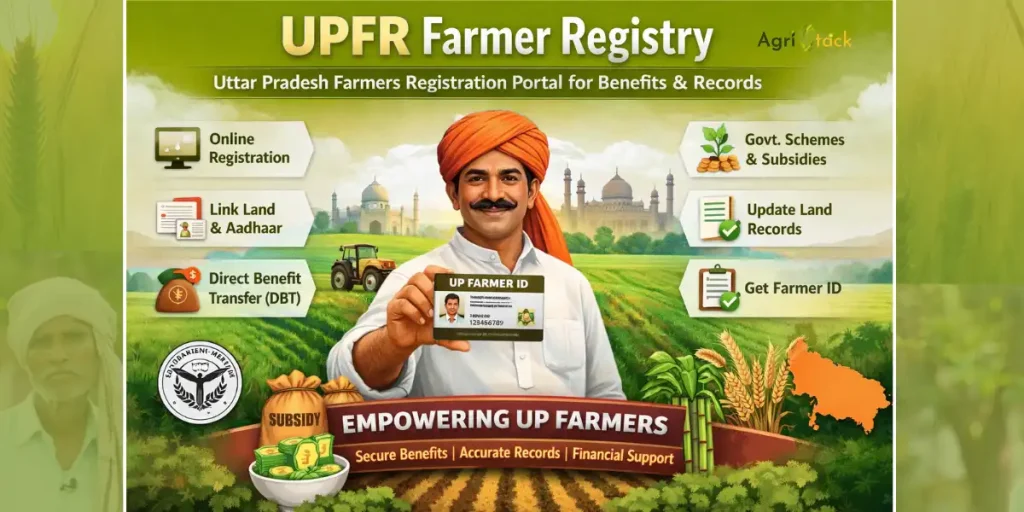
UPFR stands for Uttar Pradesh Farmer Registry. It is a digital database created to maintain verified records of farmers across the state.
The registry stores important information such as personal details, land records, Aadhaar verification details, and bank account information. After successful verification, the farmer receives a unique Farmer ID.
The main purpose of UPFR Farmer Registry is to maintain accurate farmer records and simplify farmer-related services through a single platform.
Who Can Register on UPFR Farmer Registry?
Farmers can apply for registration if they:
- Are residents of Uttar Pradesh
- Own or cultivate agricultural land
- Have a valid Aadhaar number
- Have an active mobile number
- Have a bank account
- Meet the registration requirements of the portal
Tenant farmers may also be eligible if they have valid supporting documents.
What is Farmer ID?
Farmer ID is a unique identification number generated after successful registration and verification.
The Farmer ID acts as a digital identity within the Farmer Registry system. Farmers can use it to access services, track records, and manage their profile through the portal.
Each registered farmer receives only one Farmer ID linked with their verified information.
Purpose of UPFR Farmer Registry
The UPFR Farmer Registry was created to maintain a centralized database of verified farmers.
The portal helps connect Aadhaar information, land records, and farmer details through one system. This improves record accuracy and reduces duplicate registrations.
The registry also supports better management of farmer-related services through a verified database.
Benefits of UPFR Farmer Registry
Direct Benefit Transfer Support
Verified records help improve processes related to Direct Benefit Transfer services.
Unique Farmer Identity
Each farmer receives a unique Farmer ID after registration.
Easy Record Management
Farmers can manage their information through a single portal.
Better Verification
Aadhaar verification and land record verification improve data accuracy.
Digital Access
Many farmer-related services can be accessed online through the portal.
Farmer Welfare Support
The portal helps maintain reliable records for agriculture-related programs and services.
Key Features of UPFR Portal
- Aadhaar e-KYC Verification
- Farmer Registration
- Farmer Login
- Enrollment Status Tracking
- Farmer Dashboard
- Farmer ID Download
- Mobile OTP Verification
- Land Record Integration
- Grievance Portal
- CSC Login Facility
Documents Required for UPFR Farmer Registration
Before starting registration, farmers should keep all required documents ready. This helps complete the application process smoothly and avoids delays during verification.
Aadhaar Card
The Aadhaar Card is required for identity verification and Aadhaar e-KYC during registration.
Land Records
Land records help verify ownership or cultivation details. Farmers may need documents such as Khasra, Khatauni, Jamabandi, or other approved land records.
Bank Account Details
Bank account information is required while filling the registration form. Farmers should keep their account number and IFSC code ready.
Mobile Number
A mobile number linked with Aadhaar is important because OTP verification is required during registration and login.
Passport Size Photograph
Some registration processes may require a recent passport-size photograph for profile verification.
Additional Documents
Tenant farmers may need additional documents such as a lease agreement or cultivation-related proof.
How to Register Online on UPFR Farmer Registry Portal?
Farmers can complete registration online through the official UPFR Farmer Registry portal. The process is simple and can be completed from a mobile phone, laptop, or computer.
Step 1: Visit the Official Portal
Open the UPFR Farmer Registry portal and select the Farmer Registration option.
Step 2: Complete Aadhaar Verification
Enter your Aadhaar number and complete Aadhaar e-KYC using the OTP received on your registered mobile number.
Step 3: Create Login Account
Create your account by entering the required details and setting login credentials.
Step 4: Enter Personal Information
Fill in personal details such as name, address, gender, and other information requested in the application form.
Step 5: Add Land Details
Enter land-related information and provide the required land records.
Step 6: Add Bank Account Information
Provide accurate bank account details as requested during registration.
Step 7: Upload Required Documents
Upload the necessary documents in the prescribed format.
Step 8: Review and Submit
Check all information carefully before submitting the application.
Step 9: Save Enrollment Number
After submission, an Enrollment Number will be generated. Keep it safe because it will be required for future status checks.
Important Links for UPFR Farmer Registration
| Purpose | Official Link |
|---|---|
| UPFR Farmer Registry Portal | https://upfr.agristack.gov.in/farmer-registry-up/#/ |
| Farmer Registration | https://upfr.agristack.gov.in/farmer-registry-up/#/FarmerSignupEkyc |
| Enrollment Status Check | https://upfr.agristack.gov.in/farmer-registry-up/#/checkEnrolmentStatus |
| CSC Login | https://connect.csc.gov.in/account/authorize |
| Farmer Grievance | https://upfr.agristack.gov.in/farmer-registry-up/#/frGrievanceDetails |
How to Register Through CSC Center?
Farmers who are unable to complete online registration can visit their nearest CSC Center for assistance.
Step 1: Visit Nearest CSC Center
Carry all required documents before visiting the CSC Center.
Step 2: Submit Documents
Provide Aadhaar details, land records, bank account information, and mobile number to the CSC operator.
Step 3: Complete Verification
The operator will assist with Aadhaar verification and registration procedures.
Step 4: Verify Information
Carefully review all information entered into the system.
Step 5: Submit Application
After verification, the application will be submitted through the UPFR portal.
Step 6: Receive Enrollment Number
Keep the Enrollment Number safely for future reference and status tracking.
How to Check UPFR Farmer Enrollment Status?
After completing registration, farmers can track their application status through the Enrollment Status section.
Method 1: Through Official Portal
- Visit the UPFR Farmer Registry portal.
- Click on “Check Enrollment Status”.
- Enter the required details.
- Complete OTP verification if required.
- View your current application status.
Method 2: Through Farmer Dashboard
Registered users can login to their Farmer Dashboard and view the latest registration updates.
The status may show:
- Pending Verification
- Under Review
- Approved
- Rejected
Farmers should regularly check their Enrollment Status until final approval is received.
How to Download UPFR Farmer ID Card?
Once your registration is approved, you can download your Farmer ID Card directly from the UPFR Farmer Registry portal. The Farmer ID serves as your digital farmer identity and can be accessed anytime through the dashboard.
Farmer ID Download Process
Step 1: Visit the Official Portal
Open the UPFR Farmer Registry portal.
Step 2: Login to Your Account
Enter your registered mobile number and complete the login process.
Step 3: Open Farmer Dashboard
After login, access your Farmer Dashboard.
Step 4: View Farmer Profile
Navigate to your profile section where Farmer ID details are available.
Step 5: Download Farmer ID
Click on the “Download Farmer ID” option.
Step 6: Save the PDF
Your Farmer ID Card will be downloaded in PDF format. Save it for future use.
CSC Login Process for UPFR Farmer Registry
The CSC Login facility is designed for authorized CSC operators who assist farmers with registration, verification, status checks, and Farmer ID services.
This service is especially useful for farmers who do not have access to smartphones, computers, or internet services.
How to Login with CSC?
Step 1: Open CSC Login Page
Visit the official CSC Login page available through the UPFR portal.
Step 2: Enter CSC Credentials
Login using your CSC ID and password.
Step 3: Complete Authentication
Complete the required verification process.
Step 4: Access CSC Dashboard
After successful login, the CSC Dashboard will become available.
What Services Are Available After CSC Login?
Farmer Registration
CSC operators can help farmers complete new registrations and submit applications.
Enrollment Status Check
Operators can track application progress and verify registration status.
Farmer Data Updates
Authorized users can assist farmers with profile corrections and information updates where applicable.
Farmer ID Download
CSC operators can help approved applicants download their Farmer ID Card.
What Are the Benefits of Farmer ID Card?
The Farmer ID Card helps create a verified digital identity for farmers. It also makes farmer-related records easier to manage through the UPFR system.
Single Farmer Identity
A Farmer ID creates one verified record for each registered farmer.
Easier Access to Services
Farmers can access registration-related services through their Farmer Registry profile.
Accurate Farmer Records
The Farmer Registry system helps maintain accurate and updated farmer information.
Better Verification
Aadhaar verification and land record verification help improve the accuracy of farmer data.
Digital Access
Many services can be accessed online without repeatedly submitting the same information.
Transparent Record Management
Farmers can monitor their registration details and Enrollment Status through the portal.
Important Key Points for UPFR Applicants
Before applying for registration, farmers should keep the following points in mind:
- Registration is completely free.
- Use only the official UPFR portal.
- Keep your Enrollment Number safe.
- Aadhaar verification is required.
- Mobile number should remain active.
- Land records should be updated before registration.
- Bank account details should be entered correctly.
- Review all information carefully before submission.
- Keep copies of uploaded documents.
- Check Enrollment Status regularly after registration.
UPFR Farmer Dashboard
The Farmer Dashboard is the central area where registered farmers can manage their information and track registration activities.
After successful login, farmers can access several services from one place.
Services Available on Farmer Dashboard
- Farmer Profile
- Farmer ID Information
- Enrollment Status
- Registration Details
- Farmer ID Download
- Application Updates
- Grievance Services
How to Access Farmer Dashboard?
- Visit the official UPFR portal.
- Click on Farmer Login.
- Enter login details.
- Complete verification.
- Open the Farmer Dashboard.
The dashboard provides a simple way to manage registration-related information without visiting multiple offices.
Important Dates and Registration Timeline
UPFR Farmer Registration generally remains available throughout the year.
Farmers can submit applications whenever registration services are active on the portal.
Registration Availability
Registration is usually open for eligible farmers through the official portal.
Verification Period
Applications go through Aadhaar verification, land record verification, and profile review before approval.
Status Updates
Farmers should check Enrollment Status regularly after submission.
Farmer ID Generation
Farmer ID is generated after successful verification and approval of the application.
Profile Updates
Registered farmers may update eligible information through available portal services when permitted.
UPFR Farmer Registry Contact Details
Farmers facing issues related to registration, login, Farmer ID, or Enrollment Status can seek assistance through available support channels.
Registration Support
Support is available for registration-related questions and technical issues.
CSC Support
Farmers can visit their nearest CSC Center for assistance with registration and Farmer ID services.
Technical Help
Technical support can help resolve portal-related problems such as login issues or verification errors.
Grievance Support
Farmers can submit complaints through the Farmer Grievance section if they face registration or profile-related issues.
Frequently Asked Questions (FAQs)
Q1. What is UPFR Farmer Registry?
UPFR Farmer Registry is a digital platform developed for farmers in Uttar Pradesh. It helps create verified farmer records by connecting Aadhaar details, land records, mobile number verification, and other registration information through a single system.
Q2. What is Farmer ID?
Farmer ID is a unique identification number issued after successful registration and verification. It acts as a digital identity for registered farmers within the Farmer Registry system.
Q3. Is UPFR Farmer Registration Free?
Yes. Registration on the UPFR Farmer Registry portal is completely free. Farmers should avoid agents or unofficial websites asking for registration fees.
Q4. Who Can Apply for UPFR Farmer Registration?
Farmers who meet the eligibility requirements and have the required documents can apply through the official UPFR portal.
Q5. Is Aadhaar Required for Registration?
Yes. Aadhaar verification is an important part of the registration process. Farmers must complete Aadhaar e-KYC before submitting their application.
Q6. Can Tenant Farmers Register?
Yes. Tenant farmers may be eligible to register if they can provide the required supporting documents as specified during the registration process.
Q7. How Long Does Registration Approval Take?
Approval timelines may vary depending on verification requirements. Farmers should regularly check their Enrollment Status for updates.
Q8. How Can I Check My Enrollment Status?
Visit the Enrollment Status section on the UPFR portal, enter the required details, and view the latest application status.
Q9. What Should I Do If My Application Is Still Pending?
Pending applications are usually under review or verification. Farmers should wait for processing to complete and continue monitoring their Enrollment Status.
Q10. How Can I Download My Farmer ID Card?
After approval, login to the Farmer Dashboard and use the Farmer ID Download option to save your Farmer ID Card.
Q11. What Documents Are Required for Registration?
Generally required documents include:
- Aadhaar Card
- Land Records
- Bank Account Details
- Mobile Number
- Passport Size Photograph
Additional documents may be required in specific situations.
Q12. Can I Update My Information After Registration?
Yes. Depending on the available portal services, registered farmers may be able to update certain information through their profile or with assistance from a CSC Center.
Q13. What Is CSC Login?
CSC Login is a service for authorized CSC operators who help farmers with registration, status checks, profile updates, and Farmer ID services.
Q14. What Should I Do If OTP Is Not Received?
Verify that your mobile number is active and properly linked with your Aadhaar information. You can also try again after a few minutes.
Q15. What Should I Do If My Farmer ID Is Not Available for Download?
Check whether your application has been approved. If approval has been completed and the issue remains, contact support or visit a CSC Center for assistance.
Q16. Can I Register Multiple Land Parcels?
Yes. Farmers can provide information for multiple land parcels wherever permitted during the registration process.
Q17. Why Are Land Records Required?
Land records help verify ownership and cultivation information, making farmer records more accurate within the Farmer Registry database.
Q18. Can I Complete Registration Through CSC Center?
Yes. Farmers who need assistance can visit their nearest CSC Center and complete registration with the help of an authorized operator.
Final Words
The UPFR Farmer Registry has made farmer registration easier by bringing Aadhaar verification, land records, Farmer ID generation, Enrollment Status tracking, and dashboard services together on a single platform.
Farmers can complete registration online, monitor their application status, download their Farmer ID Card, and manage important information through the UPFR portal. This reduces paperwork and helps maintain verified farmer records across Uttar Pradesh.
Before applying, keep all required documents ready, verify your information carefully, and use only the official UPFR Farmer Registry portal. A few extra minutes spent checking details today can save a lot of trouble later. After all, fixing a wrong bank account number is much harder than checking it twice before clicking the submit button.